Test DJ hot cues on the exported USB drive
Verify cue data on the device that will be used at the event.
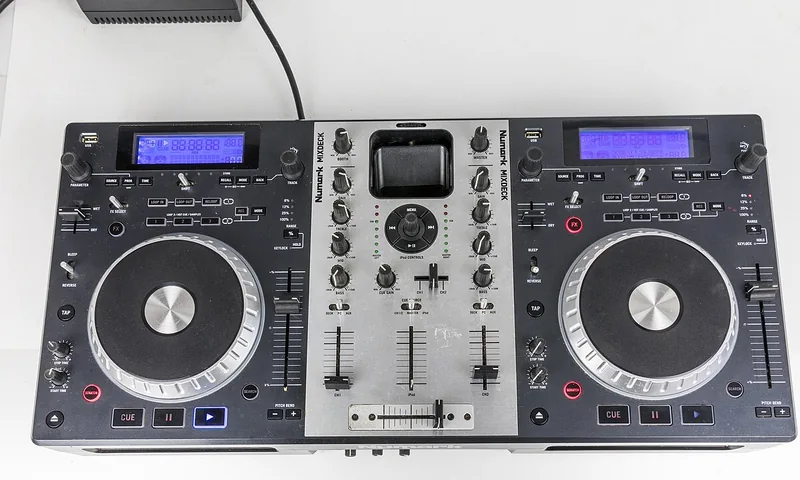
The short answer
A cue visible in your library is not proof that the exported player can read it. Export through the supported workflow, safely eject the drive, then test a representative track and cue on a compatible player.
What to do
- Confirm the target player's supported library format
- Export a small test playlist with several cue types
- Safely eject and reconnect the drive
- Load the tracks on the target or equivalent player and audition each cue
Check the first playable beat
A cue can point to the right time yet begin too softly, inside a transient or after the intended phrase. Listen at low monitor level and check the surrounding beats. Note whether quantisation is enabled, since it can change when a triggered cue actually plays.
Check the result
The exported player should display the intended cue labels and trigger the expected musical moments.
Know the limits
Player generations do not support every cue feature equally. Keep a normal track-loading and manual-cue fallback.
Further reading
Sources for the connections and technical principles discussed above. The diagnostic sequences are our editorial explanation. Consult the manual for your exact model before changing hardware or settings.
These are general educational guides, not hands-on product reviews. How we prepare our content. Cover photo source & license.
Keep working on your setup

Mark mixer channels so a substitute engineer can follow them
Create a useful input list before soundcheck.
Read the guide
Check a mixer mute group before opening the PA
Confirm which channels a mute group affects.
Read the guide
Check an auxiliary send that feeds no monitor sound
Trace a silent stage-monitor send from input to loudspeaker.
Read the guide