Test a recorded live-mixer feed for missing sources
Confirm what the recording bus actually contains.
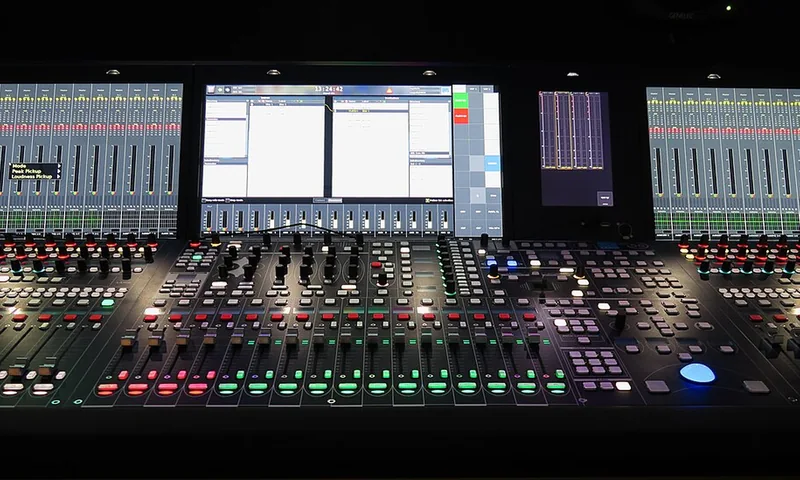
The short answer
A stereo recording feed may follow the main mix, an auxiliary bus or a configurable output. Check every important source in the recording itself rather than assuming that audience sound and recorded sound match.
What to do
- Identify the mixer's assigned recording output
- Record a short test with every input used in turn
- Play the test through headphones away from the live mix
- Adjust recording-bus routing and repeat before the performance
Remember the room contribution
A loud acoustic instrument may need little PA reinforcement and therefore appear too quiet in a main-bus recording. A separate recording mix can help, but it needs its own level check and cannot be invented later from a missing signal.
Check the result
Speech, playback and instruments should all be present without clipping in the saved file.
Know the limits
A board feed does not capture room ambience automatically. Recording and distribution permissions are separate from the signal-path check.
Further reading
Sources for the connections and technical principles discussed above. The diagnostic sequences are our editorial explanation. Consult the manual for your exact model before changing hardware or settings.
These are general educational guides, not hands-on product reviews. How we prepare our content. Cover photo source & license.
Keep working on your setup

Mark mixer channels so a substitute engineer can follow them
Create a useful input list before soundcheck.
Read the guide
Check a mixer mute group before opening the PA
Confirm which channels a mute group affects.
Read the guide
Check an auxiliary send that feeds no monitor sound
Trace a silent stage-monitor send from input to loudspeaker.
Read the guide