Route audio to a capture card cleanly
Choose one intentional path for each source and monitor return.
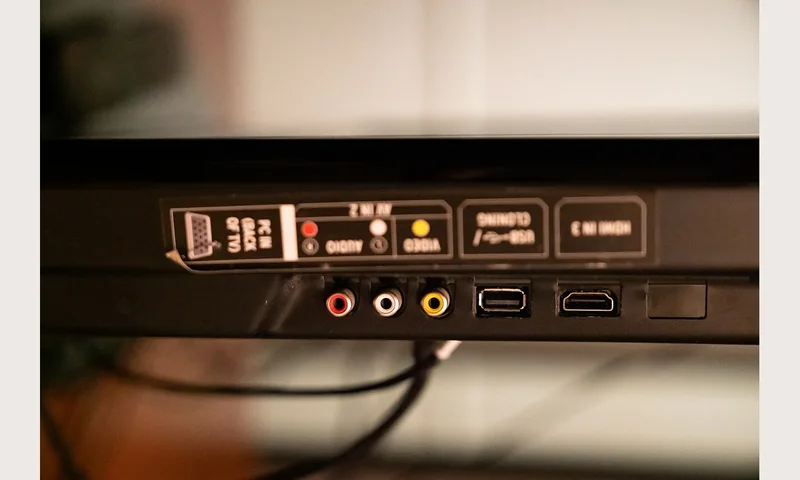
The short answer
Capture setups can accidentally double game sound or omit party chat. Draw the route before adding virtual mixers.
What to do
- List game audio, microphone, chat and alerts, and mark which should reach the stream, recording and your headphones.
- Connect using the capture card's supported audio method and select one capture source in the software.
- Record a test with each source speaking or playing alone, then together. Inspect isolated tracks if you use them.
Draw the two destinations
Write down what the player must hear and what the recording or stream must receive. HDMI audio, a USB headset and analogue outputs may be separate routes. Check whether the console or computer supports simultaneous output in the chosen mode. A capture card receiving video does not prove it also receives the desired game, chat and microphone audio.
Add one source at a time
Begin with game audio and record a short sample. Add chat and then your microphone, checking each stage for duplication. In capture software, avoid capturing the same HDMI sound through both the video source and a separate global audio device unless deliberately required. Monitoring a source back into the captured desktop output can also create an echo loop.
Check timing in the saved file
Use a clear visual action with a sharp sound, then inspect the actual recording. The preview and the final output may follow different buffering paths. Apply a measured offset only after identifying which source is early. Keep the capture sample rate and device configuration consistent, and repeat the test after changing cards, USB ports or console output modes.
Check the result
Every source should appear once at the destination where it belongs, with no feedback or unexpected delay.
Know the limits
Console party-chat capture may have platform-specific settings or consent requirements. A card's video support does not imply every audio format is accepted.
Further reading
Sources for the connections and technical principles discussed above. The diagnostic sequences are our editorial explanation. Consult the manual for your exact model before changing hardware or settings.
These are general educational guides, not hands-on product reviews. How we prepare our content. Cover photo source & license.
Keep working on your setup
Choose wired or wireless gaming audio
Separate convenience from latency, microphone quality and compatibility.
Read the guide
Stop game audio leaking into voice chat
Find out whether the leak is acoustic or electronic.
Read the guide
Organise desk cables for reliable audio
Reduce strain and make the signal path visible.
Read the guide