Check a stereo DI connection before sending playback to a mixer
Keep left and right playback signals separate and correctly labelled.
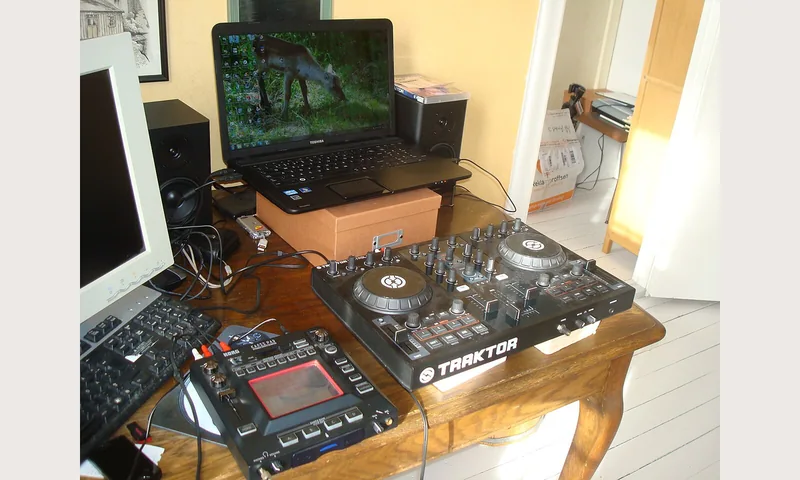
The short answer
Use a suitable stereo DI or two appropriate DI channels when the source and mixer require them. Identify each input and output from the device manual; a socket's size alone does not identify signal level or function.
What to do
- Lower mixer outputs and confirm the playback source level
- Connect left and right to the DI inputs as specified
- Connect each DI output to its assigned mixer input
- Play a left-right identification file and label the channels
Use the right device for the source
Some DIs are designed around instrument sources, while others are intended for consumer or computer playback. Check input headroom, connector wiring and power requirements. Start conservatively and watch both the source and mixer for overload.
Check the result
A left-only signal should reach only its intended channel, with clean playback and sufficient headroom.
Know the limits
A passive cable splitter is not a summing device. Use proper mono routing when only one mixer channel is available.
Further reading
Sources for the connections and technical principles discussed above. The diagnostic sequences are our editorial explanation. Consult the manual for your exact model before changing hardware or settings.
These are general educational guides, not hands-on product reviews. How we prepare our content. Cover photo source & license.
Keep working on your setup

Mark mixer channels so a substitute engineer can follow them
Create a useful input list before soundcheck.
Read the guide
Check a mixer mute group before opening the PA
Confirm which channels a mute group affects.
Read the guide
Check an auxiliary send that feeds no monitor sound
Trace a silent stage-monitor send from input to loudspeaker.
Read the guide