Keep cymbal choke messages in recorded MIDI
Make a grabbed cymbal stop on playback as it did during the performance.
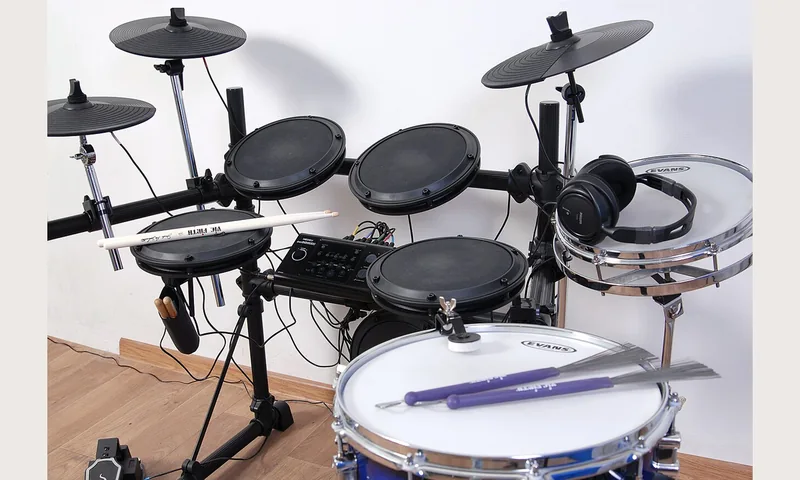
The short answer
Record a single crash followed by a deliberate choke, inspect the messages the module sends, and confirm that the virtual instrument responds on playback. Preserve the relevant expression data when you edit or transfer the performance.
What to do
- Check the module documentation for its cymbal choke transmission method.
- Record one crash, let it ring, then record another crash and choke it clearly.
- Inspect available pressure, controller or note information in the MIDI editor.
- Play the test through the destination instrument without live pad input.
- Copy the entire test to a fresh track and verify the choke again.
Do not guess the message type
Electronic cymbals and modules do not all describe a choke in the same way. A system may use pressure information or another supported message, and the receiving instrument must understand it. Start from the exact MIDI implementation instead of drawing random controller values. A choke that works with the internal module sound may still need a dedicated mapping in software.
Prove the recording path
The first test should be slow enough that you can distinguish a natural decay from an actual stop. Use a long cymbal sound and leave silence afterward. If the instrument chokes live but not during playback, examine recording filters and whether the necessary message type is retained. If it fails both live and recorded, investigate mapping and destination support first.
Edit the event and its context together
A choke usually follows a strike, so moving only the cymbal note may leave the stopping message at the old location. Copy a region wide enough to include the action. When changing the timing, listen for a shortened cymbal elsewhere or a choke that arrives before the intended hit. Keep an untouched version of the original MIDI as a reference.
Provide a reliable handoff
Exported MIDI and another drum instrument may not reproduce the same choke interpretation. Include printed audio of important choked cymbals when collaborating. State which module, mapping and instrument produced the reference. If compatibility is limited, an intentional audio edit can preserve the arrangement, but keep it clearly separate from claims that the destination supports the original gesture.
Check the result
Play the original and edited versions back to back. The ringing crash should decay naturally, the grabbed crash should stop at the intended point, and no later cymbal should be cut off accidentally.
Know the limits
This depends on the pad, module, MIDI transport and software instrument. Do not assume a choke-capable physical cymbal guarantees universal software compatibility.
Further reading
Sources for the connections and technical principles discussed above. The diagnostic sequences are our editorial explanation. Consult the manual for your exact model before changing hardware or settings.
- Roland TD-17 owner manuals and MIDI documentation
- Ableton Live 12: editing MIDI
- Ableton Live 12: recording new clips
These are general educational guides, not hands-on product reviews. How we prepare our content. Cover photo source & license.
Keep working on your setup
Choose a first MIDI keyboard
Count the keys you need for your actual task, then check controls and connections.
Read the guide
Protect cymbal holes with sleeves and suitable felts
Inspect the small contact parts that separate a cymbal from its stand hardware.
Read the guide
Stabilize a boom cymbal stand without excessive clamping
Improve stand balance before using greater clamp force.
Read the guide