Fix a headphone channel that cuts out
Separate the headphone, cable, adapter and source.
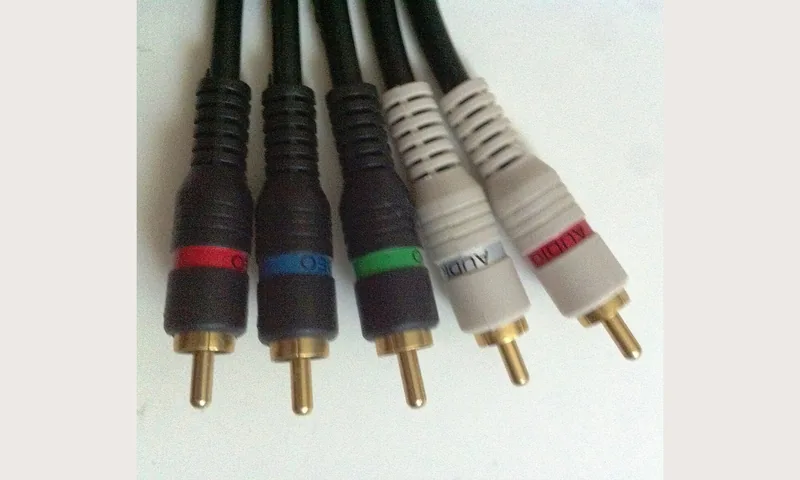
The short answer
An intermittent left or right channel often lives in a connector path. A controlled substitution is faster than changing audio settings at random.
What to do
- Reduce volume and fully seat the plug, including any screw-on or push-on adapter. Remove a phone case if it obstructs the jack.
- Try the headphones on another source and a known-good pair on the original source.
- If the cable is detachable, inspect and reseat it according to the manual. Stop using visibly damaged connectors.
Locate the fault without stressing the cable
Start with low playback level and check that the plug is fully seated, including through any phone case. Try the same headphones on a compatible second source and a known-working pair on the original source. This separates the headphone path from the source socket. Remove unnecessary adapters for the test; stacked adapters add mechanical leverage and another possible contact fault.
Distinguish settings from an intermittent connection
Check balance, mono accessibility settings and the recording itself. A missing side in only one track may be part of that track. If slight normal movement at a detachable connector changes the sound, reseat it with playback stopped and inspect for visible damage. Do not keep twisting a cable to make it work or insert metal tools into a powered device socket.
Replace the failed part deliberately
If the fault follows a removable cable, use a replacement with the exact connector and wiring required by the headphones. Similar-looking plugs may differ. If it follows a source socket, use another supported output while arranging service. Wireless models need a separate check of charge, pairing and firmware guidance. Avoid opening sealed ear cups or batteries merely to confirm a fault already isolated by substitution.
Check the result
Write down which combination fails. If the fault follows one cable or headphone across sources, you have narrowed the repair request.
Know the limits
Do not bend plugs aggressively while wearing the headphones. Balance settings can create a silent channel, but cannot explain a fault that changes when a damaged cable moves.
Further reading
Sources for the connections and technical principles discussed above. The diagnostic sequences are our editorial explanation. Consult the manual for your exact model before changing hardware or settings.
- Neumann: headphone construction and amplifier matching
- Neumann: headphone impedance and amplifier requirements
- WHO: safe listening
These are general educational guides, not hands-on product reviews. How we prepare our content. Cover photo source & license.
Keep working on your setup
Find a comfortable headphone fit
Adjust the physical fit before judging bass or buying replacement pads.
Read the guide
Choose open-back or closed-back headphones
Decide how much sound must stay inside and outside your headphones.
Read the guide
Match headphones to an audio source
Check output capability and sensitivity as well as impedance.
Read the guide