The short answer
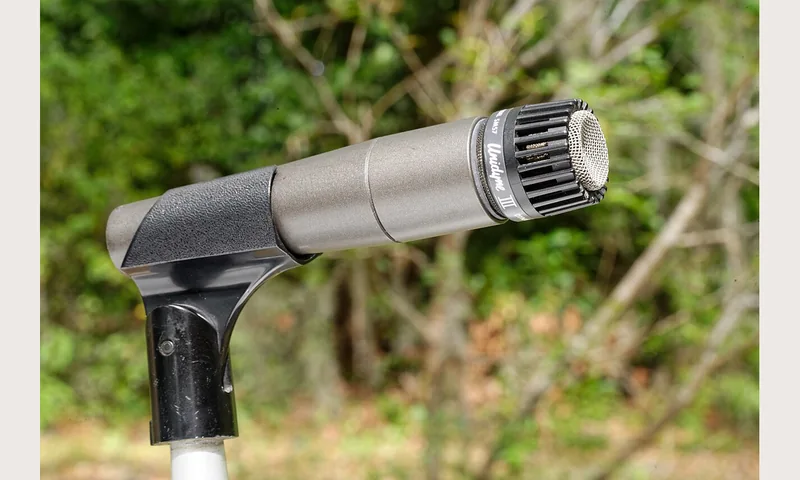
Feedback occurs when amplified sound returns to a microphone and is amplified again. First lower the affected channel, then change the microphone-to-speaker relationship.
What to do
- Identify the offending microphone by reducing channels carefully. Keep an open microphone away from speaker fronts.
- Move the speaker ahead of the microphone line when practical. Position a monitor according to the microphone's documented pickup pattern.
- Bring the level back slowly. Reduce unnecessary open microphones and use modest targeted EQ only after placement is improved.
Stop the loop before diagnosing it
Lower the affected channel or mute it as soon as ringing starts. Feedback occurs when loudspeaker sound re-enters an open microphone and is amplified repeatedly. Do not hold a microphone in front of a loudspeaker to demonstrate the fault, and do not continue increasing gain through a sustained squeal. Troubleshoot at a controlled level with someone able to mute the system.
Identify which output feeds the microphone
Bring channels back individually at a low level. If the problem returns only with one microphone open, inspect that microphone’s relationship to the main speakers and stage monitors. Keep the microphone close enough to the intended source that less gain is needed. Place loudspeakers to minimise sound entering the microphone, following its polar pattern; the least-sensitive direction is not identical for every directional microphone.
Check stage use, not just the empty-room position
A vocalist moving in front of a main speaker, turning toward a monitor or cupping the microphone grille can change the acoustic loop. Test the actual performance positions at sensible levels. Mute unused microphones and avoid boosting the monitor mix merely because the performer has moved away from the microphone. More open microphones and more reflected loudspeaker sound can reduce usable gain.
Use EQ after fixing the physical problem
A carefully chosen cut may help a remaining resonant frequency, but broad tonal changes or repeated large boosts can make the system less predictable. Recheck stability after each adjustment. If adequate volume still cannot be achieved without feedback, change speaker placement, microphone technique or monitoring arrangements. Feedback control has a practical limit; a different microphone or processor is not an automatic cure for an unsuitable layout.
Check the result
Test with the performer in position, holding the microphone normally. Check movement that might point it toward a monitor.
Know the limits
Cupping the grille can change the pickup behaviour. Do not chase feedback by repeatedly raising the master level or applying large bass and treble boosts.
Further reading
Sources for the connections and technical principles discussed above. The diagnostic sequences are our editorial explanation. Consult the manual for your exact model before changing hardware or settings.
These are general educational guides, not hands-on product reviews. How we prepare our content. Cover photo source & license.
Keep working on your setup

Run a line check before a soundcheck
Confirm every source before balancing the band.
Read the guide
Set mixer input gain without clipping
Establish headroom before moving channel faders.
Read the guide
Position speakers for a small-room performance
Aim at listeners while limiting microphone spill.
Read the guide