Connect a DJ controller to powered speakers
Match output type, input sensitivity and cable length.
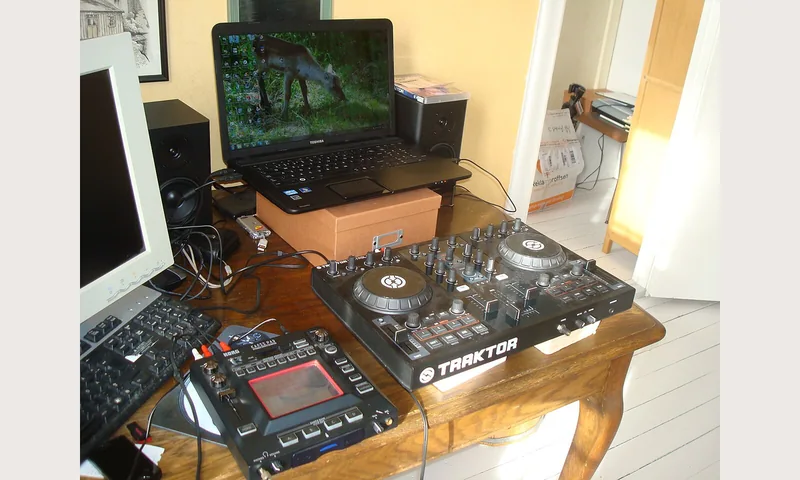
The short answer
Use the controller's master output and the speaker's line-level input. A headphone output is intended for cueing and is not the default route to the audience.
What to do
- Turn speaker levels down and confirm that the inputs accept line level. Keep the controller master low.
- Use balanced connections where both devices support them, especially for longer runs. Connect left and right consistently.
- Play a representative track, raise levels gradually, and watch for clipping at both devices. Adjust upstream distortion before turning down the final speaker.
Match outputs to inputs
Read the controller output specification and the speaker input labels. A headphone socket is not automatically the best feed for a PA, and a microphone input may overload from a controller line output. Use the supported main outputs and suitable cables, favouring balanced connections when both devices support them. Include any required adapters in the setup test before the event.
Power and raise levels in order
Begin with playback stopped and levels low. Follow the equipment power-up guidance, normally bringing upstream devices on before the powered speakers and reversing that order when shutting down. Play a familiar track, set the controller output within a clean range and raise the speakers gradually. Keep all people away from unexpected high-level sound during the first check.
Test the full performance route
Check left and right independently, then listen from the audience area. Verify cue headphones are separate from the main feed and that a microphone does not unexpectedly reach the speakers. If hum appears, inspect the signal path and supported balanced wiring. Never remove protective earth from mains equipment; involve the venue technician when the power arrangement is uncertain.
Check the result
Check a quiet intro and a loud chorus. Walk through the listening area while another person monitors the controls.
Know the limits
Passive speakers need a compatible amplifier. Do not connect a power-amplifier speaker output to a controller or ordinary line input.
Further reading
Sources for the connections and technical principles discussed above. The diagnostic sequences are our editorial explanation. Consult the manual for your exact model before changing hardware or settings.
These are general educational guides, not hands-on product reviews. How we prepare our content. Cover photo source & license.
Keep working on your setup

Run a line check before a soundcheck
Confirm every source before balancing the band.
Read the guide
Position speakers for a small-room performance
Aim at listeners while limiting microphone spill.
Read the guide
Connect a turntable to powered speakers
Identify where the phono stage and volume control live.
Read the guide