Check which side of a microphone should face the speaker
Confirm the pickup face before adding gain or EQ.
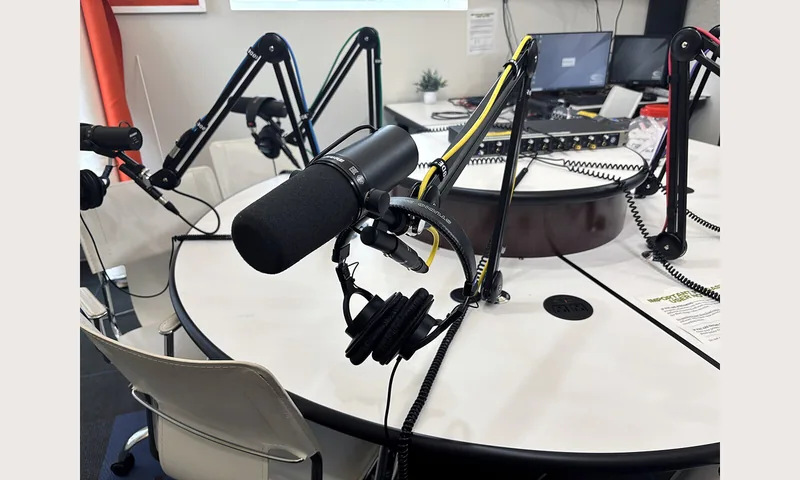
The short answer
Side-address and end-address microphones are used differently. Speaking into the wrong face can produce a quiet, hollow sound that extra gain makes noisier.
What to do
- Read the model's pickup diagram and identify the front marking
- Record the same phrase from the specified position and the previous position
- Match playback level and compare clarity and room sound
Use the pattern for the actual model
Do not infer the pickup face from a decorative grille or logo alone. A switchable-pattern microphone may also be set to a pattern unsuitable for one speaker. Once the orientation is correct, adjust distance and gain as separate changes.
Check the result
The intended position should provide a clear direct voice without needing an unexplained gain increase.
Know the limits
Some microphones are omnidirectional or have unusual capsules. The exact manual takes priority over a generic studio photograph.
Further reading
Sources for the connections and technical principles discussed above. The diagnostic sequences are our editorial explanation. Consult the manual for your exact model before changing hardware or settings.
These are general educational guides, not hands-on product reviews. How we prepare our content. Cover photo source & license.
Keep working on your setup

Keep a noise gate open for quiet sentence endings
Adjust release behaviour using real speech instead of a sustained vowel.
Read the guide
Separate microphone monitoring from stream monitoring
Choose which signal the presenter hears to avoid hearing two copies.
Read the guideReduce plosives without making the voice dull
Change microphone angle and distance before heavy filtering.
Read the guide