Use module ambience without washing out a groove
Add space while preserving the timing and definition of your playing.
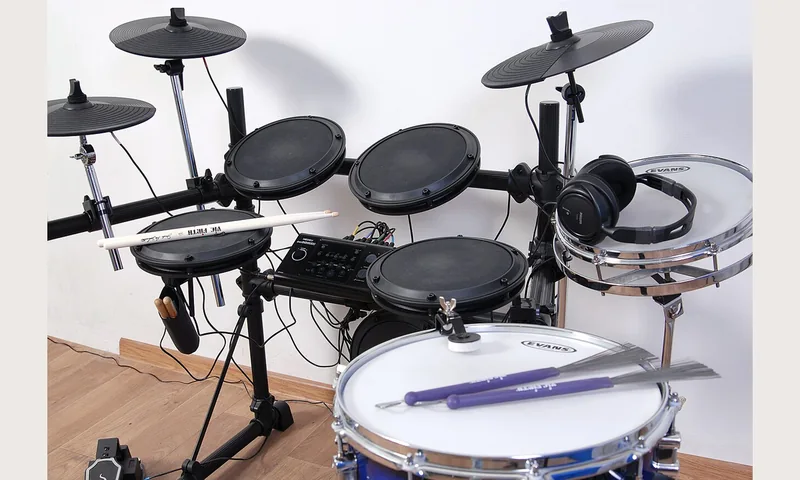
The short answer
Begin with a modest ambience setting, then adjust it while playing the actual groove. Listen to the gap after snare hits and to repeated kick notes. Keep a drier saved version for situations where the room or mixer adds further reverberation.
What to do
- Save a copy of the kit before changing its ambience or effects.
- Play a short groove with clear rests and repeated snare notes.
- Lower the ambience level to establish a dry reference, then add it gradually.
- Check whether different kit pieces can send different amounts to the effect.
- Compare the result in the intended headphones or output system.
Listen to the spaces between notes
Ambience can make a kit feel larger, but a long tail may fill the pauses that define a groove. Play a backbeat followed by a deliberate rest and listen to how quickly the sound clears. Then try a busier passage. Choose the amount from those musical tests rather than from a single dramatic snare strike.
Separate amount from character
Modules may offer different room types, effect levels, decay parameters or per-instrument sends. A smaller amount of a long room can still leave a long tail; a shorter room at a higher level can feel quite different. Change one setting at a time and compare against the dry reference. Available controls depend on the exact module.
Protect the low-end rhythm
A kick sound that is already long may become less distinct with extra space. If the module allows individual effect sends, try less ambience on the kick while retaining some on the snare or toms. Listen in the song before deciding. Do not use an effect to hide a kit balance problem that could be corrected more directly.
Prepare for changing rooms
Headphone practice removes much of the acoustic room from your impression, whereas amplified playback adds the venue response. A kit that sounds spacious in headphones may become overly diffuse in a reflective space. Keep an easily recalled drier version. Tell a live engineer if your outputs already contain significant ambience so any additional processing can be intentional.
Check the result
Alternate the saved dry and ambience versions while playing the same passage. The treated version should add a useful sense of space without making successive backbeats or kick notes harder to follow. Include a tom fill because overlapping resonances can reveal excess ambience quickly.
Know the limits
Not every module provides separate room, reverb and send controls. Stereo and mono playback can also change the result, so check the actual output arrangement.
Further reading
Sources for the connections and technical principles discussed above. The diagnostic sequences are our editorial explanation. Consult the manual for your exact model before changing hardware or settings.
These are general educational guides, not hands-on product reviews. How we prepare our content. Cover photo source & license.
Keep working on your setup
Use slow practice without losing the groove
Keep the relationships between notes intact.
Read the guide
Use quarter-note clicks to check a sixteenth-note groove
Build a clear four-part subdivision between metronome clicks without relying on a click for every note.
Read the guide
Use bottom hi-hat tilt to improve foot closure
Compare a small lower-cymbal tilt while preserving a stable seat and comfortable pedal action.
Read the guide