Reduce keyboard noise in voice recordings
Change distance and mechanics before relying on suppression.
The short answer
A nearby keyboard can be louder at the mic than your mouth if placement is poor. Noise suppression is less effective when typing overlaps speech.
What to do
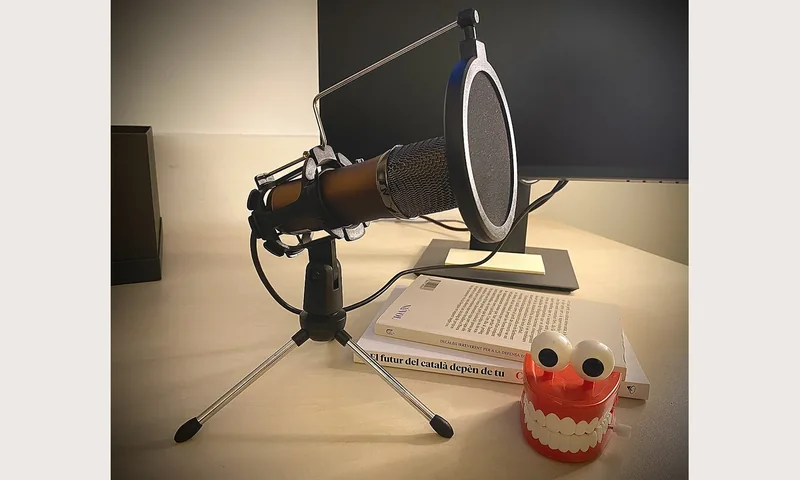
- Move the microphone closer to a comfortable speaking position and aim its less-sensitive direction toward the keyboard where its pattern permits.
- Put the mic on a stable support separate from the keyboard surface and reduce desk vibration.
- Record speaking while typing normally, then test conservative suppression only if still needed.
Improve the sound ratio at the microphone
Move the microphone closer to the voice within a comfortable speaking position, then reduce gain to maintain the same voice level. Place the keyboard farther from the most sensitive pickup direction where the microphone pattern permits. Record a test while typing normally. A quieter switch or lighter typing may be more effective than processing when keyboard clicks overlap every sentence.
Check mechanical transmission
Tap the desk gently and listen to the recording. If a large thump appears, the microphone stand may be carrying vibration through the desk. Try an appropriate isolation mount or separate stable support, keeping it clear of the typing area. A soft desk mat can alter keyboard vibration, but it will not stop airborne clicks from reaching the microphone.
Evaluate suppression with speech present
Compare processing on a sample that includes both typing and quiet speech. A noise gate only acts when its conditions close the gate; it cannot selectively remove clicks while the gate is open for your voice. Strong suppression can create watery speech or clipped consonants. Keep the least processing that makes the recording usable and avoid promising complete removal from already mixed audio.
Check the result
The voice should stay natural while key clicks become less prominent. Listen to words spoken during typing, not just silent gaps.
Know the limits
Directional rejection varies by microphone. Pointing the wrong side at your mouth can make both tone and noise worse.
Further reading
Sources for the connections and technical principles discussed above. The diagnostic sequences are our editorial explanation. Consult the manual for your exact model before changing hardware or settings.
These are general educational guides, not hands-on product reviews. How we prepare our content. Cover photo source & license.
Keep working on your setup
Choose a USB or XLR microphone
Choose the signal path you can support, not only the microphone.
Read the guide
Place a desktop microphone away from vibration
Make the support and cable path part of the setup.
Read the guide
Stop a noise gate cutting off words
Tune the gate against quiet speech, not just background silence.
Read the guide