Record an electronic kit through stereo analog outputs
Capture the modules finished sound with a clean, balanced two-channel recording.
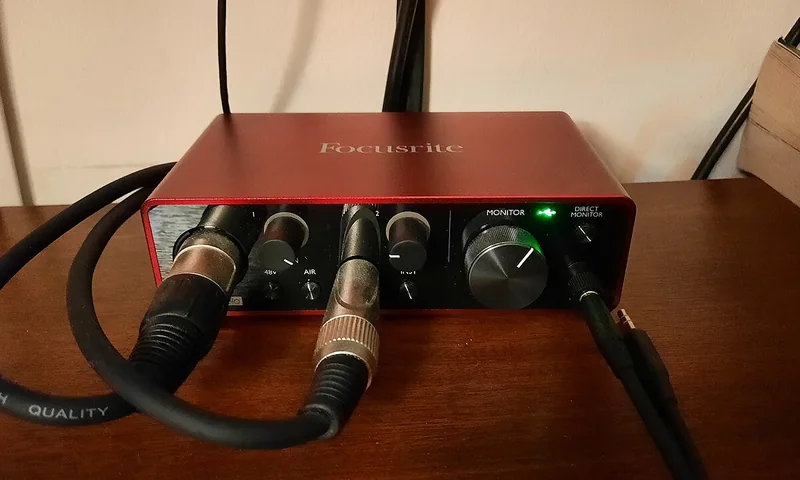
The short answer
Connect the modules left and right outputs to suitable interface inputs, set the input mode and gain for the signal, and record them as a stereo pair. Check the modules output instructions before using only one socket.
What to do
- Identify the main left and right outputs and the interfaces appropriate line inputs.
- Connect both channels using cables suitable for the specified connections.
- Set input gain while playing the loudest expected passage with headroom.
- Create a stereo track with the correct left and right input order.
- Record a test that includes the full kit, then listen in stereo and mono.
Treat the module as an audio source
The module output already contains its selected sounds, mix and any included effects. An analog stereo recording captures that result; it does not provide independently editable kick and snare tracks. Finish a sensible kit balance before recording, and retain MIDI alongside it if later sound replacement is important. Save the kit preset used for the take.
Match the input path
Use the interface documentation to choose a suitable input mode for the module signal. An input that can accept several source types may have a switch or software setting that changes its behavior. Avoid assuming that every socket has the same gain range. Start conservatively and listen for distortion as well as watching the input meter.
Preserve channel order
Many kit sounds and ambience effects are spread across the stereo field. Label left and right at both ends of the cables and confirm the recorded track order. If only mono is available, follow the modules documented mono output arrangement. Merely unplugging one side of an arbitrary stereo connection can change which sounds or effects are captured.
Check both stages for overload
Lowering the recording track fader does not repair clipping that happened at the module output or interface input. Play the strongest realistic combination of drums and cymbals during the gain test. If distortion is audible even with low interface gain, inspect the module mix and output level. Keep a little space for a more energetic take rather than aiming for the largest waveform possible.
Check the result
Play the test recording with live input monitoring disabled. Verify that left and right are correct, no instrument is unexpectedly absent, and loud passages remain clean. Listen to a mono sum for balance changes before committing to the session.
Know the limits
Connection levels, mono behavior and available outputs are model specific. Stereo analog recording cannot later separate overlapping kit sounds as if they had been captured on individual outputs.
Further reading
Sources for the connections and technical principles discussed above. The diagnostic sequences are our editorial explanation. Consult the manual for your exact model before changing hardware or settings.
- Roland TD-17 owner manuals and MIDI documentation
- Ableton Live 12: recording new clips
- Ableton Live 12: routing and I/O
These are general educational guides, not hands-on product reviews. How we prepare our content. Cover photo source & license.
Keep working on your setup

Record a stereo keyboard without losing a side
Check the output labels and stereo routing.
Read the guide
Transport an electronic drum kit safely
Document connections and protect sockets, mesh and moving parts.
Read the guide
Record a stereo feed from a live mixer
Confirm exactly what the record output contains.
Read the guide