Choose an audio interface by inputs
Count simultaneous sources before comparing specifications.
The short answer
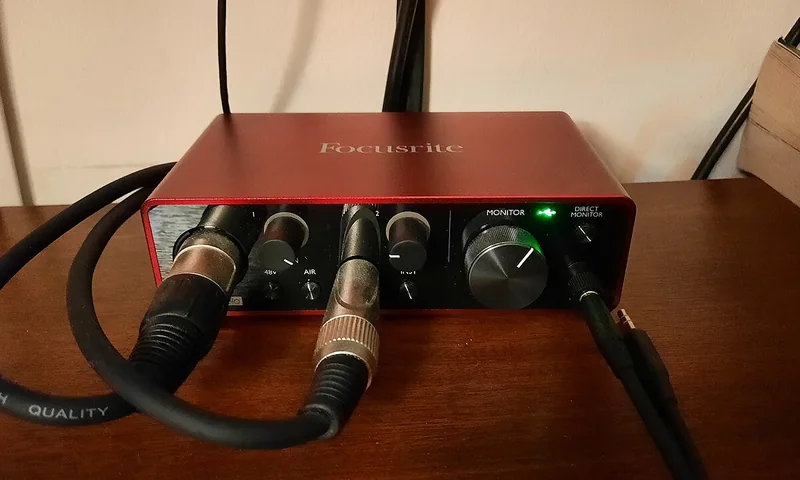
The number of sounds you record at once determines the inputs you need. A stereo keyboard uses two channels; a microphone needs a suitable mic preamp rather than any socket labelled input.
What to do
- Draw your busiest realistic recording session and mark each source as microphone, instrument or line.
- Count physical analogue inputs and check which share a socket or cannot operate simultaneously. Include headphone monitoring needs.
- Confirm drivers, operating-system support, power and expansion compatibility in the exact model manual.
Count simultaneous sources, not sockets
Write down one real session: a vocal microphone, a guitar and a stereo keyboard already require four input channels if recorded separately at once. A combo socket accepts different plug types but normally represents one channel. Digital expansion may need another device and can have channel limits at higher sample rates. Count the inputs you can use concurrently in the intended configuration.
Match each source to the right input type
Check microphone preamps and phantom-power arrangements for microphones, high-impedance mode for passive instruments and line inputs for keyboards or processors. Confirm output needs too: speakers, headphones and independent cue mixes may compete for routing resources. A second headphone socket is not proof of a separate headphone mix. Inspect the routing manual before deciding a larger socket count solves the session.
Check the computer and the workflow
Verify supported operating systems, connection type and current driver support. Include the cables, microphone stands and any extra preamps in the budget. If you usually record one part at a time, fewer well-suited inputs may be enough. If you record a band together, constantly repatching will not preserve isolated performances. Choose capacity for the session you expect to run, with a modest allowance for known growth.
Check the result
Build a connection list that names every source and socket without unplugging anything mid-take.
Know the limits
Digital expansion requires compatible formats, clocking and sample rates. A larger advertised channel count may include digital inputs you cannot use without more equipment.
Further reading
Sources for the connections and technical principles discussed above. The diagnostic sequences are our editorial explanation. Consult the manual for your exact model before changing hardware or settings.
These are general educational guides, not hands-on product reviews. How we prepare our content. Cover photo source & license.
Keep working on your setup
Record a stereo keyboard without losing a side
Check the output labels and stereo routing.
Read the guide
Choose a recording sample rate
Use a consistent rate that fits the destination and devices.
Read the guide
Find a stable audio buffer size
Balance monitoring responsiveness against processing headroom.
Read the guide