Check a saved receiver input after renaming HDMI devices
Verify routing assignments when the label looks right but the source is wrong.
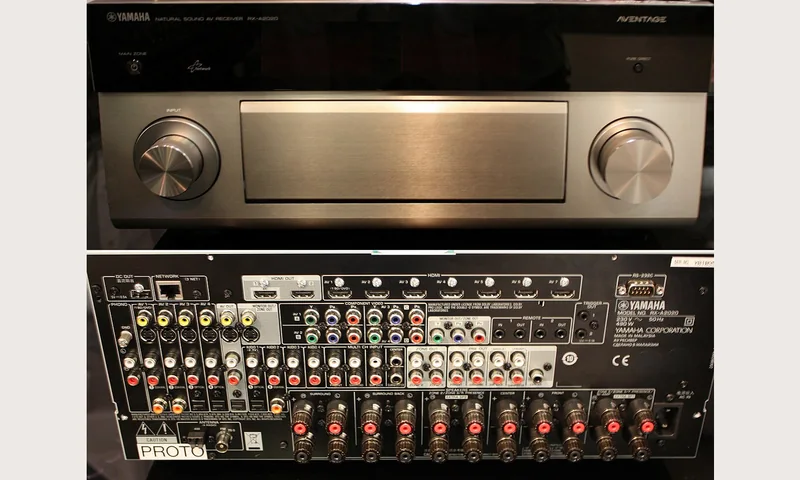
The short answer
An input name is a label, not proof of which HDMI, optical or analogue connection the receiver uses. Renaming can conceal an assignment error.
What to do
- Write down the physical port used by the source
- Inspect that named input's audio and video assignments in the receiver setup
- Select the source directly and play a brief identifiable clip
Document the working mapping
A receiver may remember different audio choices for each named input. If video works but sound comes from another device, check audio assignment and selection mode before moving cables. Once correct, record the port map so a later reset is easier to recover.
Check the result
The named input should show and play the same intended source, including after the receiver restarts.
Know the limits
Assignment controls differ by model. Do not perform a factory reset before saving existing calibration and input settings.
Further reading
Sources for the connections and technical principles discussed above. The diagnostic sequences are our editorial explanation. Consult the manual for your exact model before changing hardware or settings.
These are general educational guides, not hands-on product reviews. How we prepare our content. Cover photo source & license.
Keep working on your setup
Choose the intended audio track in a streaming film
Check the language and mix selection before troubleshooting speakers.
Read the guideFind why a receiver plays stereo from one source only
Compare source settings without resetting the whole system.
Read the guide
Use a receiver test tone without confusing it with movie playback
Distinguish speaker wiring checks from source decoding checks.
Read the guide