Build a clean electronic drum user kit
Create a focused starting kit that is easy to balance and recall.
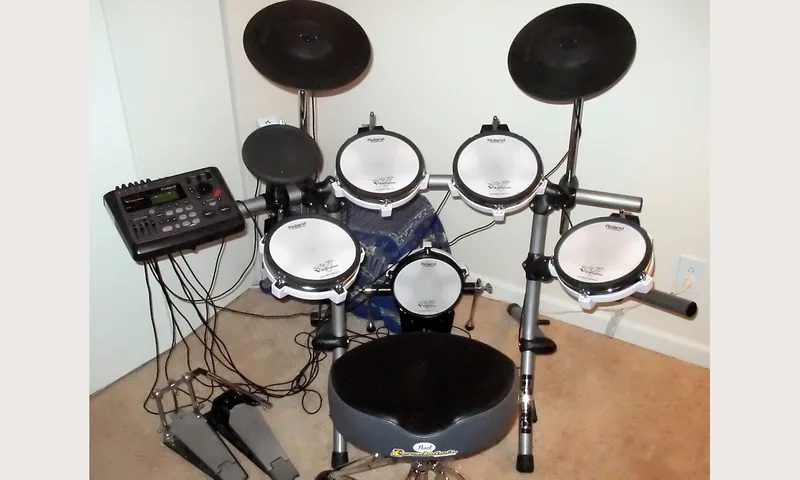
The short answer
Copy a factory kit into a user location, select a coherent set of sounds, and balance the kit before adding heavy ambience. Save a named version and test it with the music for which it will be used.
What to do
- Choose a factory kit close to the desired musical role and copy it if supported.
- Select kick, snare and cymbals that work together at moderate listening level.
- Balance the main instruments while playing an ordinary groove.
- Add toms, rim sounds and secondary articulations, checking their relative levels.
- Save a named user kit and record a short reference performance.
Choose a role before choosing sounds
A practice kit, a compact live kit and a dramatic production kit do not need the same sustain or processing. Decide whether the drums should leave space for vocals and bass or provide a large featured sound. This keeps you from selecting every instrument solely because it sounds impressive on its own. Use a familiar backing track when it helps establish context.
Keep a recoverable starting point
Factory presets can include routing, effects and trigger-related choices that are easy to overlook. Copy the kit using the modules supported procedure and note the original preset. Change sound settings within the user kit before changing global trigger behavior. That separation makes it easier to return to a reliable playing response while exploring different tones.
Balance before adding effects
Start with a groove that includes kick, snare and hi-hat, then add crashes and fills. A loud crash can make the whole kit feel unbalanced even if each drum sounds good alone. Adjust the instrument or kit mixer controls rather than changing trigger sensitivity to solve a sound-level problem. Revisit the balance after any substantial instrument replacement.
Save for the actual destination
Headphones, a small monitor and a larger playback system can reveal different aspects of a kit. Check the intended output at sensible listening levels and preserve a short recording. Give versions names that describe their use rather than only a number. If the module supports a backup or export, store it with a note of required samples and firmware compatibility.
Check the result
Recall a different kit, return to the saved user kit and play the same reference groove. Confirm that sounds, balances, effects and output assignments return as expected.
Know the limits
User memory, backup formats and editable parameters vary by module. Do not overwrite a valued user kit or reset global settings without a recoverable backup.
Further reading
Sources for the connections and technical principles discussed above. The diagnostic sequences are our editorial explanation. Consult the manual for your exact model before changing hardware or settings.
These are general educational guides, not hands-on product reviews. How we prepare our content. Cover photo source & license.
Keep working on your setup
Transport an electronic drum kit safely
Document connections and protect sockets, mesh and moving parts.
Read the guide
Map electronic drum MIDI notes to a software kit
Make every pad trigger the intended instrument before you start recording.
Read the guideReduce electronic drum latency
Work through the complete monitoring path before changing trigger settings.
Read the guide