Reconnect a USB DAC after changing computer ports
Check device selection when the DAC powers up but music is silent.
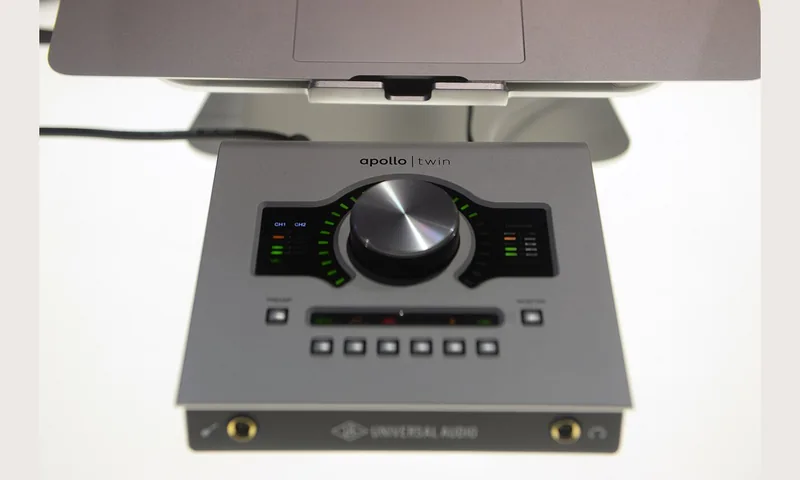
The short answer
A computer may treat a DAC on a different port as a newly available output. Power and a visible screen do not confirm that an application is sending audio to it.
What to do
- Connect the DAC directly using a known data-capable cable
- Choose it in the operating system output settings and in any app with its own output selector
- Play a local file and check both software and DAC volume controls
Separate application routing from USB recognition
If the operating system cannot see the device, try a documented driver or another direct port before changing player settings. If system sounds work but one player is silent, investigate that player's exclusive-mode device selection. Note any custom settings before resetting them.
Check the result
Audio should remain routed correctly after closing the player and reconnecting the DAC.
Know the limits
USB power-only cables, unsupported hubs and model-specific drivers can complicate this test. Follow the manufacturer's connection requirements.
Further reading
Sources for the connections and technical principles discussed above. The diagnostic sequences are our editorial explanation. Consult the manual for your exact model before changing hardware or settings.
These are general educational guides, not hands-on product reviews. How we prepare our content. Cover photo source & license.
Keep working on your setup
Check speaker polarity when the centre image feels hollow
Use a mono voice to separate reversed wiring from a room reflection.
Read the guideChoose fixed or variable output when connecting a DAC
Decide which device owns everyday volume control before playing music.
Read the guide
Find why one album sounds quieter than another
Separate mastering differences from playback normalisation.
Read the guide